

More to updates
Hi,
Summer time is coming and me own time is short. But during the last weeks I fixed something here and there and added some small but nice new features to some of my apps:
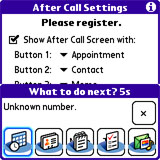
CallerInfo – I guess a still underrated little cool tool. It now knows the duration of your last call, if the call went out or came in and the after call window has now some nice icons (taken on the fly from Palm’s PIM apps). Check it out here as zip or prc, an official release will come when I found the time to address the “Foreign-letters skipped in Incoming Call Screen”-bug.
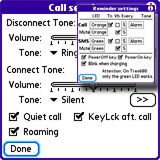
PhoneDisconnect – The ultimate answer to your missed calls and SMS. Many little features are added here. If you want to stop your Treo from roaming in unwanted situations, try to untick the “Roaming” checkbox in the “Call Settings”-screen. it might work but don’t get confused when the box is always checked when you come back to this screen. Also the reminder tones doe works now and, if you haven’t register yet, you can now test all features for 7 days. Don’t miss it, it really fills a gap on your Treo: zip or prc

WintecTool is also reduced and if you still don’t know what it’s used for: Wintec 201 (G-Rays 2) is a very small but high-resolution GPS-receiver with build-in data logger. WintecTool is what yo need to access the log on your way.
NetworkDown doesn’t need a discount, as it’s free as in beer. What’s new here? I’ve added a small and short used traffic display when you use it to switch off your network connections. Makes it easy to track down the used traffic for the last data period. Later I will enhance it and maybe I’ll do a separate tool for it too. But this one is free, useful and yes, it works on a Treo 680 too: zip or prc
Ok, don’t forget to check out the nice 50% discount on MobiHand.
Take care, Henk
 Juli 3, 2007
·
Juli 3, 2007
·  admin ·
  3 Comments
 Posted in: Palm
LJP and CallerInfo, preview of next releases
I fixed some bugs in LJP and added support for DMG (forces a b/w GB?) and GBA Mode (isn’t a GBA emulation, just pretends to be). You can test it here.
CallerInfo got some nice button-gfx. Test it here.
Juni 15, 2007
· admin · No Comments
Posted in: Developing, Palm
Track me down…
I’ve released the WintecTool on last Friday just before I went to a short weekend trip in the mountains. Unfortunately a day ago I’ve introduced a bug into the tool, leading to invalid Header and Footer in the exported .tk1 file. The track points are all correct, just TimeMachineX will not recognize the single tracks. But saving as Visual Earth worked, don’t know about KMZ.
Anyway, I’ve fixed this bug, added also a check to inform the user when the log is empty and he tries to export it, added a “Success”-Alert on the end of the export and an automatically device infos rescan, when the log was cleared. I’ve also fixed the problem with restoring UBX-settings (Dyn. Platform Model and Static Threshold) from a saved profile.
You can download it from here.
My Trip (you might need the Internet Explorer to watch it)
Juni 11, 2007
· admin · No Comments
Posted in: Allgemein
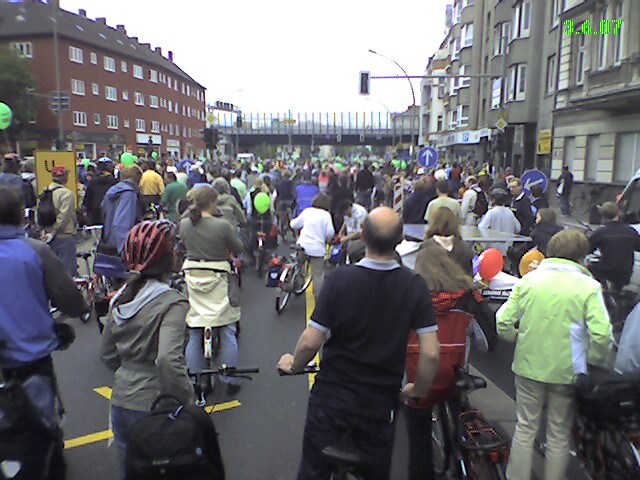
Bicycles on a highway
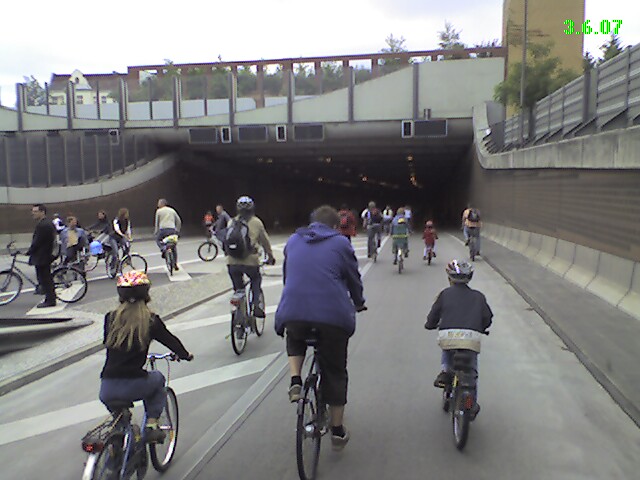
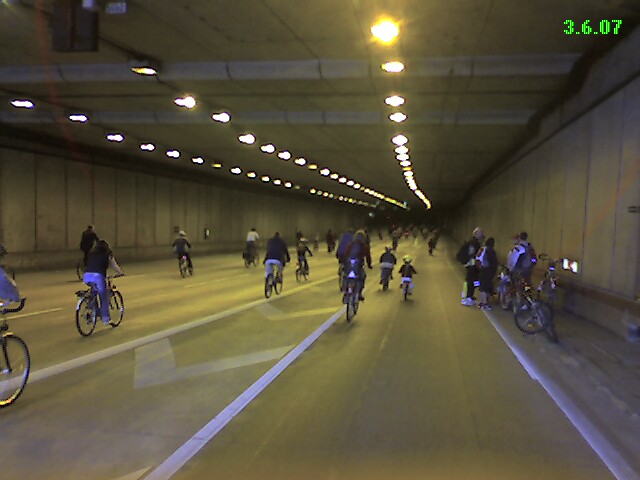
Today was a special day here in Berlin. Thousands of bicycles entered the town, throw the cars out of the streets:
and even occupied the city-highways:
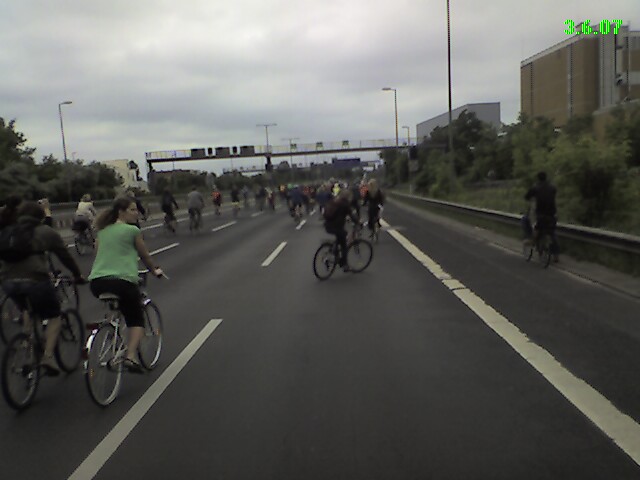
We mounted our bikes (the daughter on a special seat on my girlfriends bike and my son in a special trailer behind my bike) and joined the course. The highlight was the race through a big tunnel:
I used the tour to test my Wintec 201 GPS mouse and the “Wintec Tool ” I’ve wrote for it. Here you can see my track. I had to remove some points far outside the route and you might need to use the Internet Explorer to watch it. At least for me it doesn’t work with Seamonkey:
My “Wintec Tool” can be used to adjust the settings of the GPS mouse from the Palm or Treo using a Bluetooth connection. You can also export the recorded position log to the SD card and get the memory on the GPS mouse back. I will be available in some days for around 8 US-$ in an online shop near you. If you have a Wintec 201 GPS mouse, don’t forget to give it a try.
…and now to something complete different:
2 weeks ago I was on a short trip to Sweden, which is situated in the north of Germany. Seasons are a bit late there and on my way back I found the slogan which I think fits very well to it:

BTW: Don’t talk about the weather, you haven’t tried our food yet…
Juni 3, 2007
· admin · No Comments
Posted in: Allgemein, Palm, Picture
Hurry up
Fluglotse discount (7.50 instead of 10.95) only lasts until 5/17/2007.
CallerInfo is released now and the promised discount (7.50 instead of 10.00) lasts until 05/20/2007.
Mai 14, 2007
· admin · One Comment
Posted in: Allgemein, Palm
CallerInfo 2nd
Ok, now I did find the time to check CallerInfo on a Treo 650. Stupid Palm completely changed the phone event flow between 650 and 680. On the 650 CallerInfo didn’t stopped when you refuse the call, now it’s fixed. On the 650 the AfterCall display didn’t appeared if you finished the call, now it’s fixed. On the 650 the device crashed when displaying the AfterCall display, it’s fixed too. If you have a Treo 650, please download and report remaining issues. If you have a Treo 600 or a Treo 700p, please download and tell me what happens when you
- refuse the call
- when you enabled the AfterCall display and ends the call
- when you enabled the AfterCall display and the other site ends the call
BTW: I will release it to the public this weekend. Price will be just 10 US-$. On www.mobihand.com there will be an early adopter price of 7.50 US-$. I’ll post the link when it’s done.
Enjoy,
Henk
Mai 12, 2007
· admin · One Comment
Posted in: Developing, Palm
CallerInfo, ready to release?
Well, I don’t know if you’ve dared to test CallerInfo during the last days. I did 🙂 and step by step it really starts to be a useful tool:
On one site you have the more on infos about the one who calls you, which is already a great feature.
Next, CallerInfo will assign vCalendar to the build-in calendar application if no other application already is in charge for this MIME type. Don’t ask me why Palm hasn’t done it right away.
And the last big feature is the AfterCall window which pops up when the call ends (here might be still an issue on Treo 650, the window might only be called when the other site exits the call. Please report.).
The AfterCall window allows you to define 5 buttons with: New Appointment, New Contact/Open Contact (if the caller was known or not), New Memo, New Task, New SMS, New Email. Window isn’t eye-catching yet, but rather functional and the file size is very moderate.
Grab your preview copy from here and spread the word about it.
Also I’ve re-uploaded LJP1.0rc7 after fixing a memory leak in Gameboy emulation and a bug in the save state naming code. Go to my homepage and get this version.
At last we come to ZDoomZ. The fellow needhelp from yoyofr-forum pointed me a crash in the IR-config code of ZDoomZ. It’s fixed now and I’m also changed the way the music is extracted from the .wad-files. The songs are stored using there real names, but only if they aren’t already there. This will speed up level switches as the time consuming task of saving the Midi files can be skipped. Also you can put your own Midi files there. Just give them the correct name and ZDoomZ will play them instead of the original ones. Here again: Go to my homepage and get this version.
That’s it. Enjoy,
Henk
Mai 10, 2007
· admin · No Comments
Posted in: Developing, Palm
Results of a long, long evening
are shown up: LJP 1.0rc7 is here and these are the news:
- Screen modes should now be fail safe: no more memory trashing when selecting a wrong screen mode or when using x1.25 together with the Beltbar.
- IR keyboard stuff is included: I only tested it in NES, there it works but expect a little lag. The keyboard is connected with 9600 bit/s and each single key message is 7 bytes long. In LJP-config select “IR keyboard” and press “Config” to configure the keys.
- In the ROM-list: the currently selected ROM should stay selected even when you leave the ROM-list form and did the selection using up/down keys.
- The Treo isn’t mistakenly considered as an hires+ device anymore.
As usual use it on your own risk and tell me the problems you find. Please specify your device, ROM and settings or it will be impossible for me to reproduce it. Known issues: “Wide+” on hires+ devices other than Zodiac should rotate the screen. It doesn’t make much sense to have the screen in 480 pixels width when your screen only has 320 pixels…
Also I’ve fixed 2 bugs in CallerInfo:
- One did lead to a crash right away your call was ended (accessing global variable when you aren’t allow to do it)
- The second were the time mistakenly filled in the date string variable, leaving the time variable uninitialized. Shouldn’t the compiler warn me about this?
That’s it. Enjoy the day,
Henk
Mai 8, 2007
· admin · No Comments
Posted in: Allgemein, Developing, Palm
Having a backup on SD-Card
but no backup of your SD-Card doesn’t make things much safer… One of my SD-Card just lost its content – mysterious. There was no file and no folder in the root but both Palm and Desktop gave me a fill level of 90%. To make thing worse (I guess everything was rescue-able) I decided to kill the rest of my SD-Crad by the famous chkdisk.exe. Oh well, now I have a bunch of files with numbers instead of names and decided to better format this mess. Now I need to stop testing until I can run a new backup and this time I should really store it on my desktop 🙂
What’s going on? LJP: I fixed another bunch of bugs, it now handles wrong screen modes gracefully and also recognizes hires+ devices correctly. How is landscape mode on TX supposed to work? Is it supposed to work at all? Next, and here I was in process of implementing, will be the IR keyboard support. I guess then I’m done with LJP and only go for bug fixes for the next days. Means, you need to report bugs 🙂
Another new project which is almost done is a new application for the Treo, called CallerInfo. It’s written to show you more infos about the calling party than the standard caller screen shows you, but without overriding it. The standard screen appears and CallerInfo will show you a bunch of selectable infos from your address book. Makes it easier to distinguish between different people from different companies and stuff. You could also display mother’s day to be prepared when you mother calls you next(?) Sunday 😉 Expect a release in the next days. UPDATE: And a public beta test today!
Ok, that’s it for today, need to fix my SD-Card…
Mai 7, 2007
· admin · No Comments
Posted in: Allgemein, Developing, Palm
Fluglotse
Do you know the game Fluglotse? No? Well, then head over to https://www.mobihand.com/product.asp?id=11707 and download your trial. Basically it’s a strategic air traffic controller game. Planes enter your area and you guide them to their exits or land them on the runway in the middle of the area. Sounds easy, but as more and more planes enter the area things get crowded. Planes can have different speed and limited fuel. Avoid collisions or even just dangerous close-ups.
Ok, enough for the advertising some more words to LJP: I’ve now added a panic-exit button and allow to define 4 more buttons for Genesis. There is something wrong with the sound in Genesis, just like only z80 works. I’ll hope I can find the reason once… Another bad thing: it crashes my Treo 680 when I start Super Mario Kart on SNES. It works fine on Zodiac. Maybe some screen mode stuff? I’m digging for this bug the next days.
Here are now some more pictures:




Mai 3, 2007
· admin · No Comments
Posted in: Developing, Palm, Picture
