

iPhone look-alike keyguard anyone?
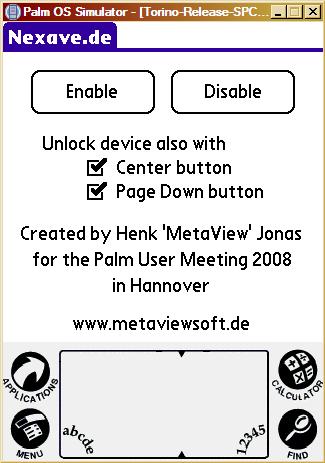
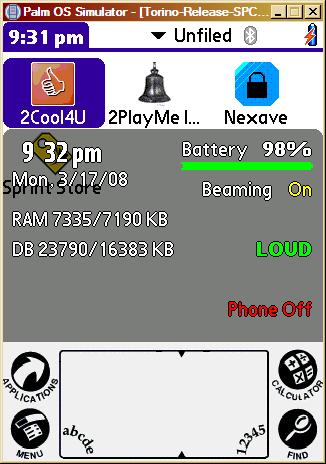
German’s biggest Palm user meeting PUM 2008 is over and it was a big success. A lot of interesting people and talks and additional more than 1000 € were collected for a charity project. I contributed with a small speech about programming for Palm OS . As a result of the preparing I wrote a small tool which I’m now glad to present. In its first release I just call it “nexave” or “nexave.de” as a reminiscence of the host of this great meeting: www.nexave.de. You can download it from here together with its source code and sure I’m glad to see what you can make of it.
BTW: Do you wanna see pictures of this evening? Look here.
Greetings, Henk
PS: I made a small video from the up.
 März 8, 2008
·
März 8, 2008
·  admin ·
  3 Comments
 Posted in: Allgemein
Isn’t an iPhone, but…
Cooler Titel, oder? Ich habe gehört, der Titel ist das wichtigste. Eigentlich geht es nicht im mindesten um ein iPhone oder irgendetwas was man damit verwechseln könnte. Nein es geht um 2PlayMe und ein Review, das auf der deutschen Ausgabe von TamsPalm erschienen ist:
http://tamspalm.pytalhost.eu/2008/02/21/vom-wecker-zur-automatischen-steuerzentrale-2playme/
Nächstes Mal dann wieder auf englisch und auch der Titel wird besser zum Beitrag passen.
PS: Ich habe schon ein schönes Hello-World-Beispiel, dessen Entstehung ihr auf der PUM 2008 in 2 Wochen in Hannover miterleben könnt. Welch Wunder, es hat was mit Touch’n’Slide zu tun…
Februar 21, 2008
· admin · No Comments
Posted in: Allgemein
2Cool4U, 0.98
The next step on the way to 1.0…
News:
- Settings – Assign to button: first click it will assign 2c4u, second click it will allow you to chose another app to assign.
- Settings – Contacts – 2nd Line: select what to show in the second line in the scroll list.
- Menu – Remove Doubles: firs attempt to remove doubled entries. Atm, entries must also have the same layout in memory (I guess, you need to know about the way the contacts DB is stored to understand it.), means there might be doubles which aren’t found with this function. Will be improved later on.
- Menu – Dial Pad: access to the system’s dial pad.
- When in call log and you have a number without associated name, 2c4u let you add it to the contact DB.
- When more than one email address, it will pop up another selection window.
- Number selection and email selection windows can be dismissed by tapping outside the window.
- A lot of bugs (e.g. scroll to name) fixed…
You can download the files from here: .zip or .prc. Please don’t forget you will need the pnoJpegLib.prc (included in the zip file) to display the contact photos.
Roadmap to 1.0:
- Find doubles enhanced.
- Call log with some bitmaps for in/out, as in the system’s phone application.
- Filtering the contact list to allow “szelmani” to match “sophie zelmani”.
- What else?
If you like, you could also leave a comment at mytreo.net.
Thx, Henk
Februar 20, 2008
· admin · One Comment
Posted in: Allgemein
Bugfix 1 to LJP 1.0
Well, “final” doesn’t have to mean “it’s the end” 🙂
I fixed some bugs which were still in LJP 1.0 final:
- Loading save states from the launcher didn’t work reliable: There was a NULL pointer access, fixed.
- Button assignable to switch players for hotseat
- GG/SMS: 5-way does work now
- Genesis: BT gamepad player doesn’t interfere with device player anymore
Files are here: .zip or .tar.gz
Februar 16, 2008
· admin · No Comments
Posted in: Allgemein
LJP 1.0 Final
Just one short sentence: It’s done.
What are the differences to the last versions:
- Multiplayer: simultaneous, using BT gamepad and device buttons or hot-seated, using the selected input device
- Gameboy: Sound is now played as 16 bit. Doesn’t make it sound any better, but avoids disturbed sound on some devices
- SNES: added a video mode option: Default, PAL or NTSC. PAL and NTSC fools the ROM to think it runs on such a device.
- Launcher: Last selected ROM is stored (even for each single system…)
If you want to install it on your device you might read about the installation notes here. You can download LJP1.0 (“The final thing”) as zip or tar.gz from my server. If you want to link to the files, please do not link directly to them. 1st it might not work (should be forbidden) and 2nd I need people watching the banners and eventually clicking on them to cover at least parts of the hosting costs.
Finally, the source code is available from here.
Happy gaming, Henk
Edit: “The ROM selection didn’t stick over different systems (it did for the last selected system).” This is fixed since tonight 9 PM. Also (as a special gift) I fixed and reenabled the music inside the launcher. There aren’t songs for every system, but for some. As a result of the fixes, the crazy star field in Help->About should be more robust too.
Februar 11, 2008
· admin · 2 Comments
Posted in: Developing, Palm
Kommt zum Palm User Meeting in Hannover!
In einem Monat werden sich in Hannover wieder die Tore zur Cebit öffnen. Am Freitag dem 7.3. wird wie jedes Jahr das große Palm User Meeting in Hannover stattfinden. Wie immer sicherlich hervorragend organisiert von PHOEnix und dem Nexave-Team. Ich werde auch da sein und die geneigte Zuhörerschaft mit einem kleinen Vortrag über Programmieren für Palm OS erfreuen.
Außerdem hat Clemens vom PUGCast mich gebeten, folgendes bekannt zu geben:
Der PUGcast (http://www.pug-ned.de/podcast.php) verlost auch in diesem Jahr wieder etliche Cebit-Karten und verhilft so jedem PDA-Besitzer auch 2008 zum grossen Palm User Meeting in Hannover.
Ein einfacher Anruf auf die PUGline (+49 3221 132 57 72) genuegt, um dem PUGcast-Team kurz zu erklaeren, warum man zur Cebit 2008 gehen möchte. Die Chance ist hoch, dass auch in diesem Jahr wieder viele Technik-Interessierte so den Weg nach Hannover schaffen und zu den beiden Spitzen-Events Cebit + PUM kommen können.
Die erworbene Cebit-Karte ist in diesem Jahr personalisiert und nicht übertragbar. Der wahlfreie Termin muss rechtzeitig vor der Cebit feststehen und kann auf dem Tagesticket nicht geändert werden.
Das PUGcast-Team wünscht allen Anrufern viel Erfolg beim Gewinnen.

Wir sehen uns,
Henk
Februar 6, 2008
· admin · No Comments
Posted in: Allgemein, Palm
PalmDosBox – the resurrection
Almost 2 years ago I was trying to port DosBox to Palm OS but couldn’t catch the crashes inside the emulation core after compiling it with CodeWarrior. In the mean time another guy, called voda, was able to port it using the gcc toolchain. Unfortunately he likes to give up its work before it runs on a broad selection of modern Palm OS devices. Also he isn’t the fastest in releasing the source code.
Some weeks ago he finally released the source of his porting attempts at sourceforge.net. A week ago I picked it up to make it more usable: on Treo devices adding a support for the keyboard, on other devices adding an on-screen keyboard, support for joystick, screen moving (for higher resolutions) and stuff. The keyboard stuff is working. there is support for left and right mouse button (hardware button 1 and 2). You can cycle (hardware button 3) between screen moving, cursor moving or joystick support for the 5-way navigator. Hardware button 4 is at the moment reserved for entering “Exit” at the DOS prompt. Later I will remove it and hopefully add a way to exit the emulator directly with save state creation. I was able to remove the crash on exit and make it runnable on my T3 too.
Be warned: your device might crash.
Download is here. Please don’t link directly but only to this post.
How-To setup your DOS games/apps on card: here
How-To entering special characters using the Treo keyboard:
You don’t enter characters in DosBox, but you send keypresses which then are translated into characters using the given DOS code page. On Treo you have the normal keys, you can press shift in parallel for caps, you can access the number using the option key and use option + shift to access the special characters on the number keys on a standard keyboard. Also option + k is used for the ; (semicolon) key. Means shift + option + k brings you the : (colon). Check it out, you can always popup the on-screen keyboard for a more standard keyboard layout. Currently, there is no way to access the Function-keys (F1-F12, numerical keypad and page up/down).
Enjoy and leave a comment,
Henk
BTW: If you want me a favor (apart from donating ;-)) you might go to the comment section of mytreo.net and tell them that 2Cool4U doesn’t set hardware buttons on its own. The user still has to click on the appropriate button… Resetting the button to its default value is of course a problem, which I will address in the next update. Until then one might use the tool at http://support.iambic.com/forum/showpost.php?p=95359&postcount=10
Januar 28, 2008
· admin · 18 Comments
Posted in: Developing, Palm
2Cool4U 0.97, the iPhone-alike contact scroller
Ok, another update for 2Cool4U:
zip or prc
- Bugfix for the black screen when changing categories
- Bugfix for the black screen when jumping to the first entries using the keyboard
- Bugfix for category name on Hires+ devices
- Skin support for skinning the contact view form, 4 skins are included in the zip file (thx to Alex Marquardt)
- Better support for jumping to entries using the keyboard (the entered text is shortly displayed in the bottom row)
- There is an option on some devices which number should be displayed in lists, 2c4u takes it into account for speed dialing.
- Maybe more, but as usual I forgot it already…
I wish you like this update. For registration you can just follow the link on 2c4u’s registration form or go to http://www.metaviewsoft.de/2c4u
Attention: I changed the height of the entries a bit again (last time, promised). You will get disturbed contact images. Please go to menu->settings and press “Clear Cache”. Then exit 2c4u and reopen it. Now all pictures should be ok. The Height of the entries depends now on the font size. Means you could use a font replacer on your Palm (like Fonts4OS5 or FontSmoother).
Regards,
Henk
PS: Stay tuned for an updated PalmDosBox in a couple of days. You will read about and be able to download it here in my blog.
PPS: Please don’t spread direct links to the files: 1st they might not work and 2nd I pay the monthly server costs with the revenue from the displayed google ads (Well, only if people click on them…).
Januar 22, 2008
· admin · 3 Comments
Posted in: Allgemein, Developing, Palm
2Cool4U, the next round
Unfortunately, I can’t access my website at the moment using FTP. The server refuses my connection attempts. Nevertheless, I have something here I would like to share with you all: 2C4U 0.96. some time passed since the last update but I think I used them well:
- Some new menu items to access the security application, the original phone application, the system preferences and to lock the device
- A cache for the pictures, speeds up the launch (not the first time…)
- A full-text search
- A smart handling for private records
- An optional click when scrolling around entry borders
- And finally, minor and major bugs are fixed
Check it out: 2C4U_zip and tell me how it works for you.
Regards
Henk
Januar 17, 2008
· admin · No Comments
Posted in: Allgemein, Developing, Palm
LJP 1.0 rc 9 again
Ok, now we have multiplayer (either 2 player vs. each other using device keys and BT gamepad or hot-seated all players on the device switching with the “reset”-button on the beltbar) for the following devices:
SMS, GameGear, Genesis, SNES, NES and TG16 (if it would run).
Additionally, the launcher doesn’t exit when you change the SD card.
At the moment the files are here:
Zip-File and Tar.gz-File
Enjoy
Henk
Januar 17, 2008
· admin · No Comments
Posted in: Allgemein, Developing, Palm
